KeepTies in half a minute
Add your people, choose how often, and never miss a birthday. Best with the sound on.
How it works
Add the people you care about, pick how often you want to be in touch, and KeepTies shows who to reach out to and what is coming up.
Add your people
A name, how often you want to check in, and a birthday. Notes and life events if you like.
Log a moment
Called, texted, met up. Swipe the person and pick how it went. Their ring fills up again.
Watch the ring climb
Overdue people pull it down, catching up pushes it up. Your Progress page counts the days you keep up.
See the whole app
Swipe sideways to browse. Swiping up or down still scrolls the page.
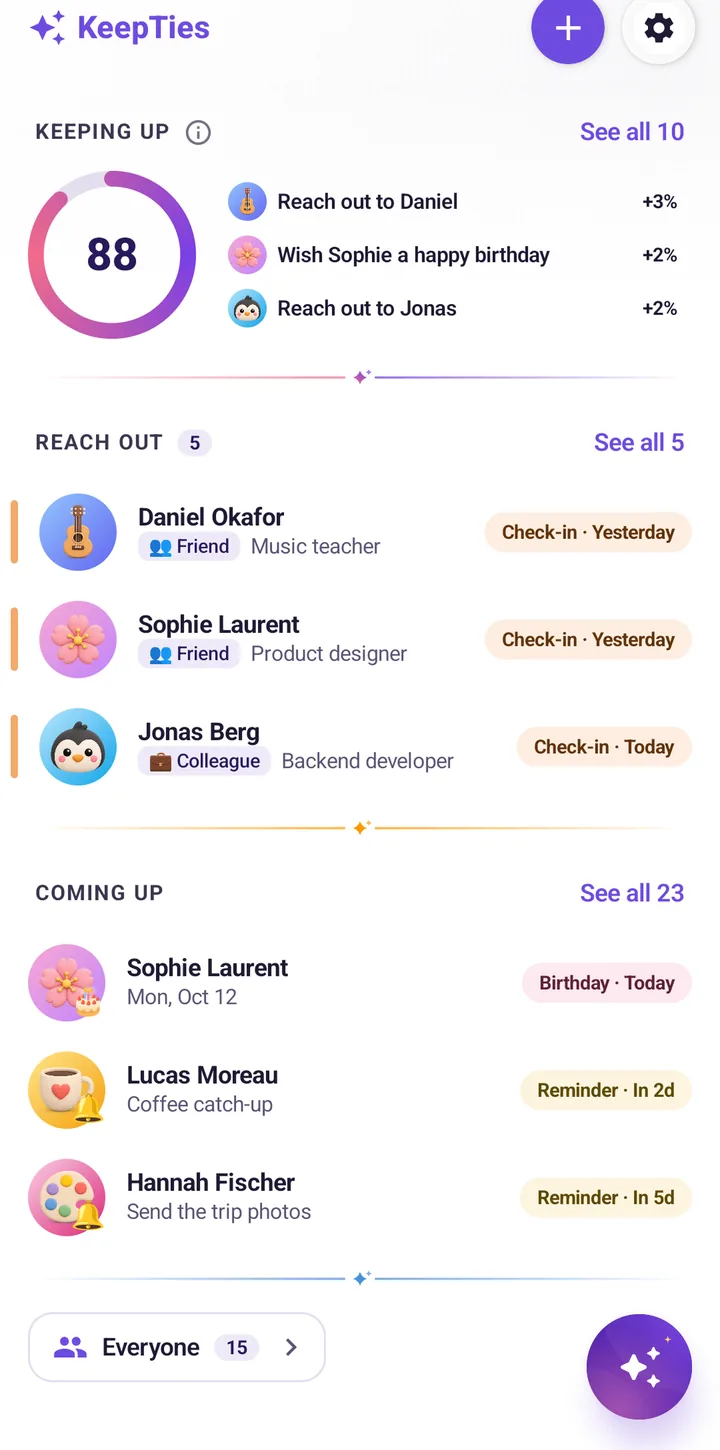
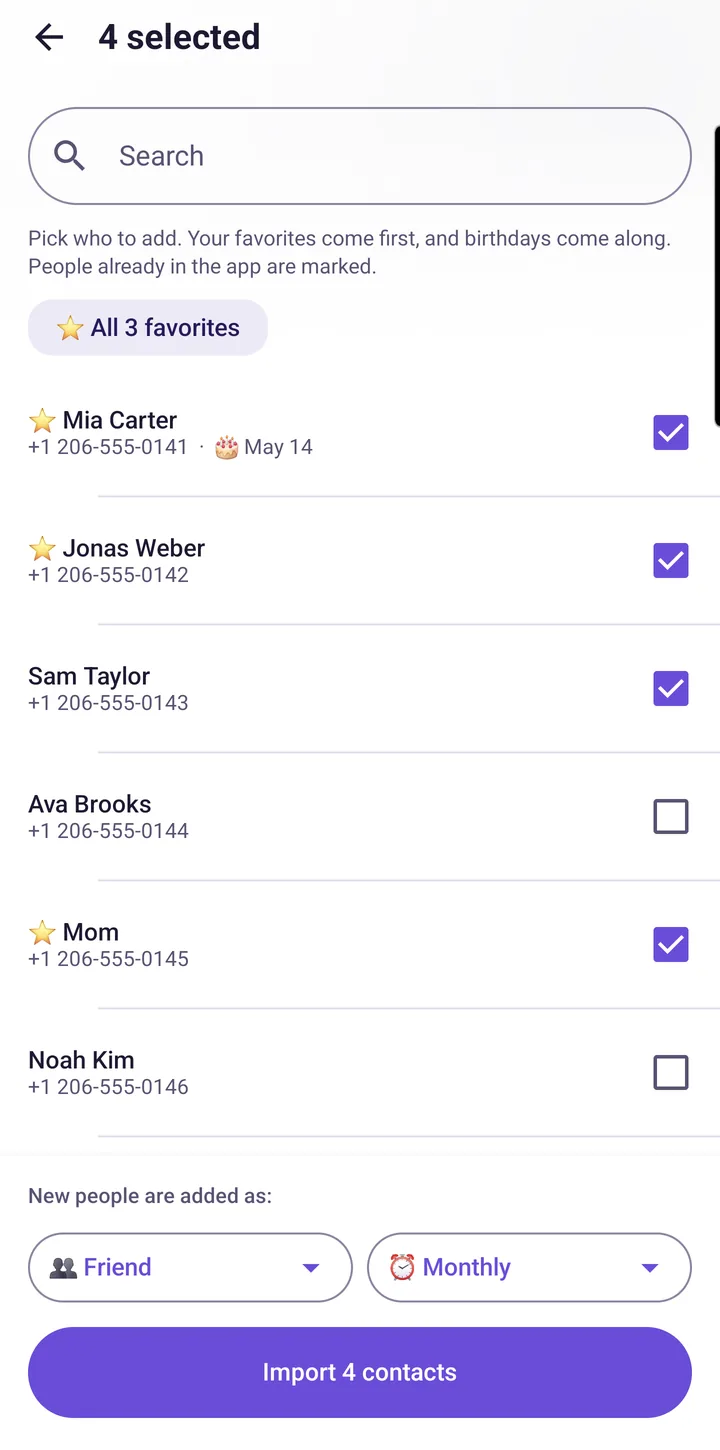
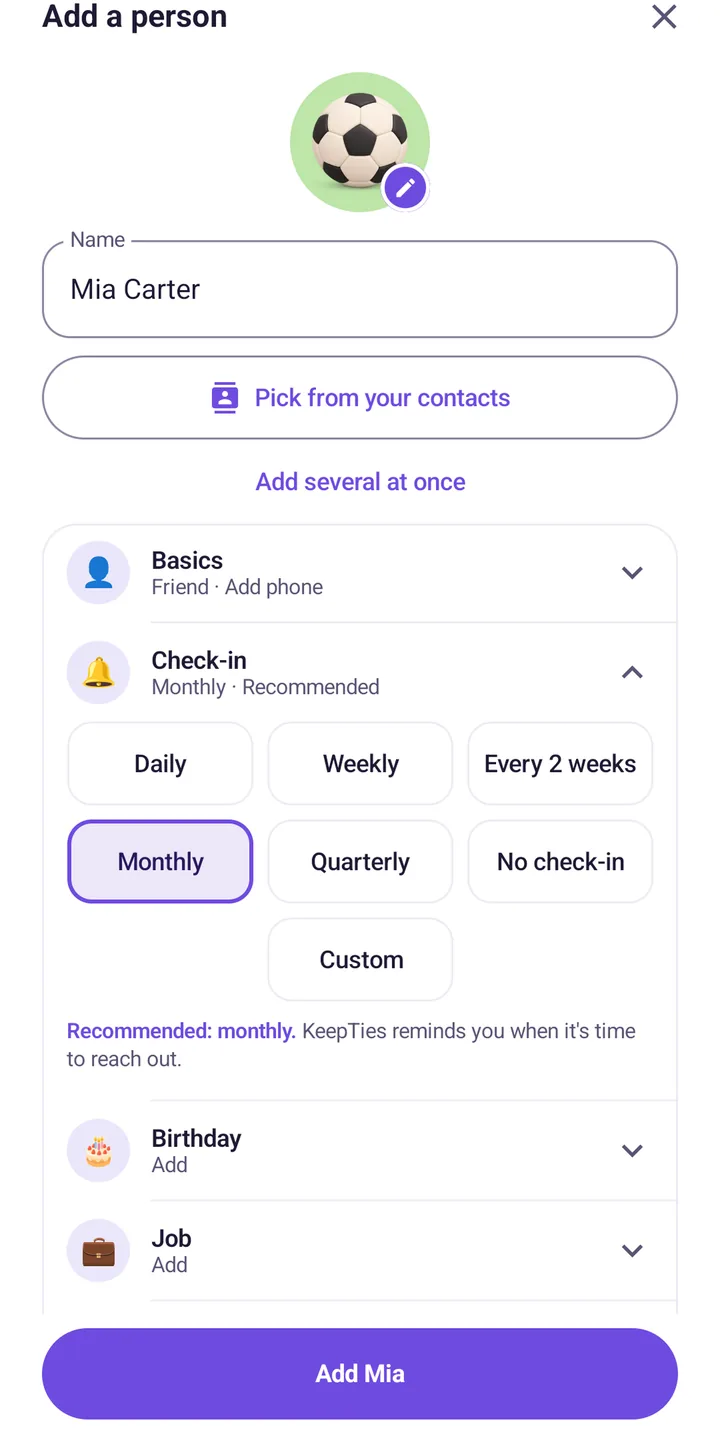
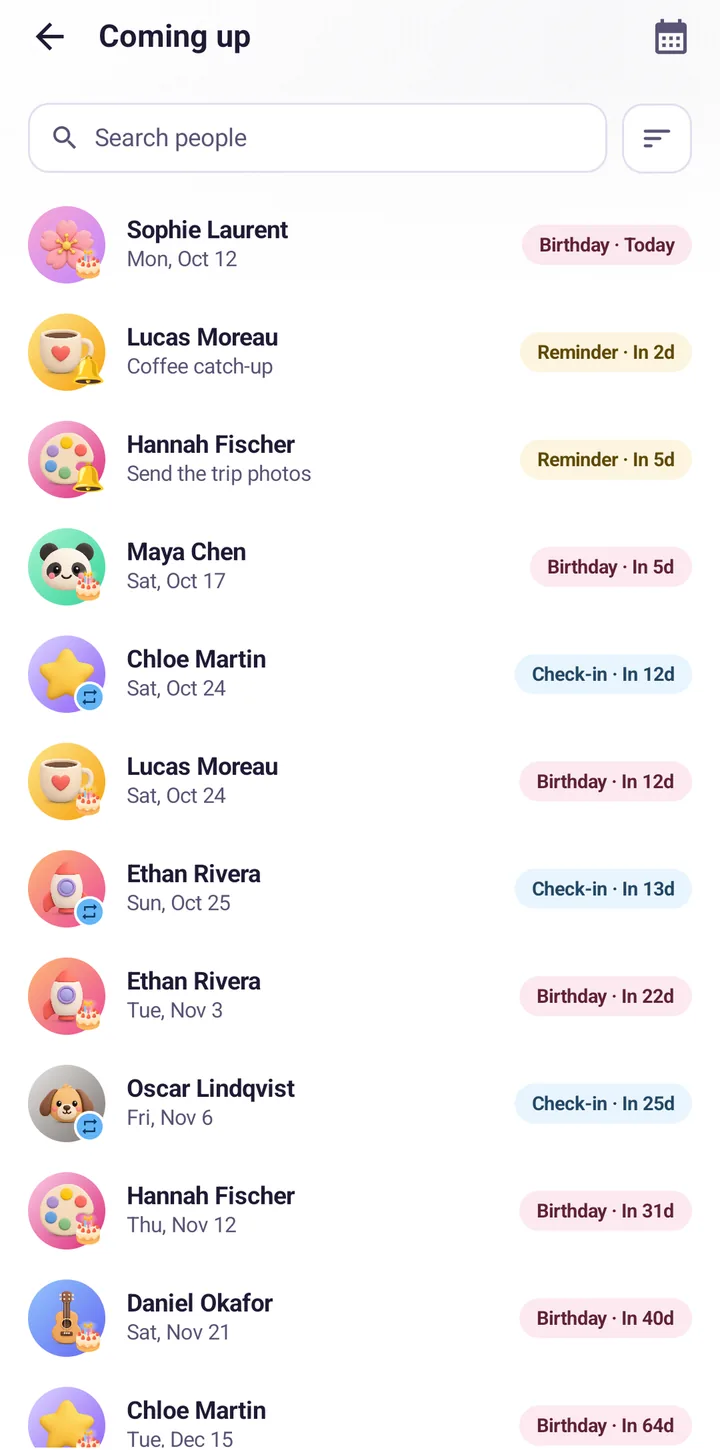
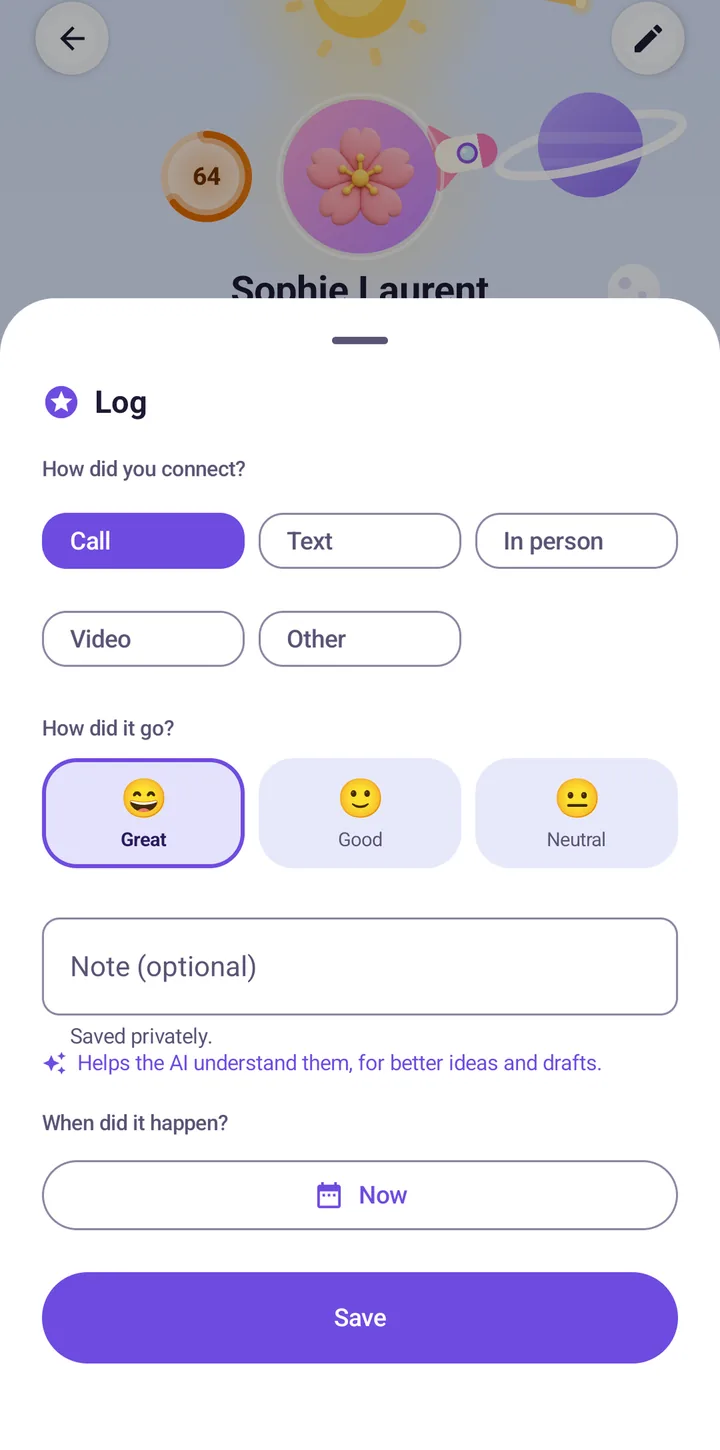
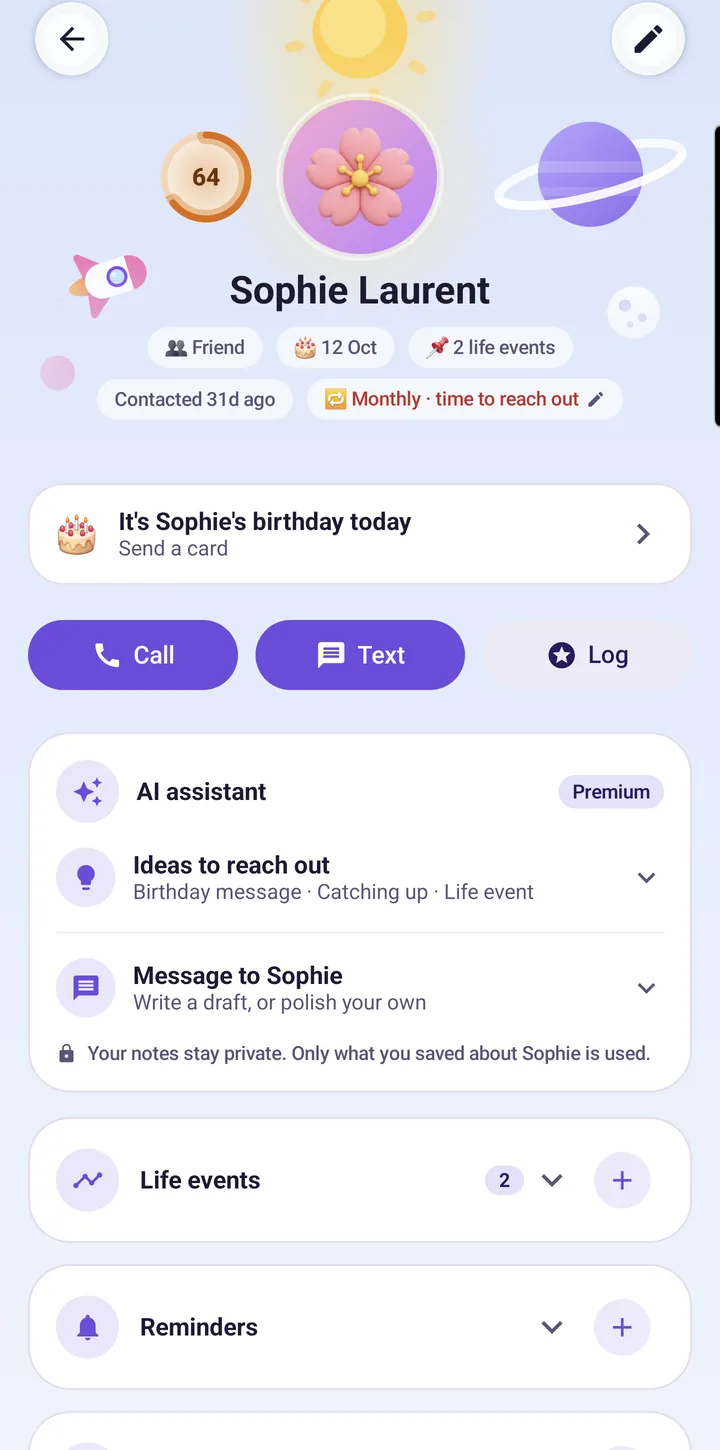
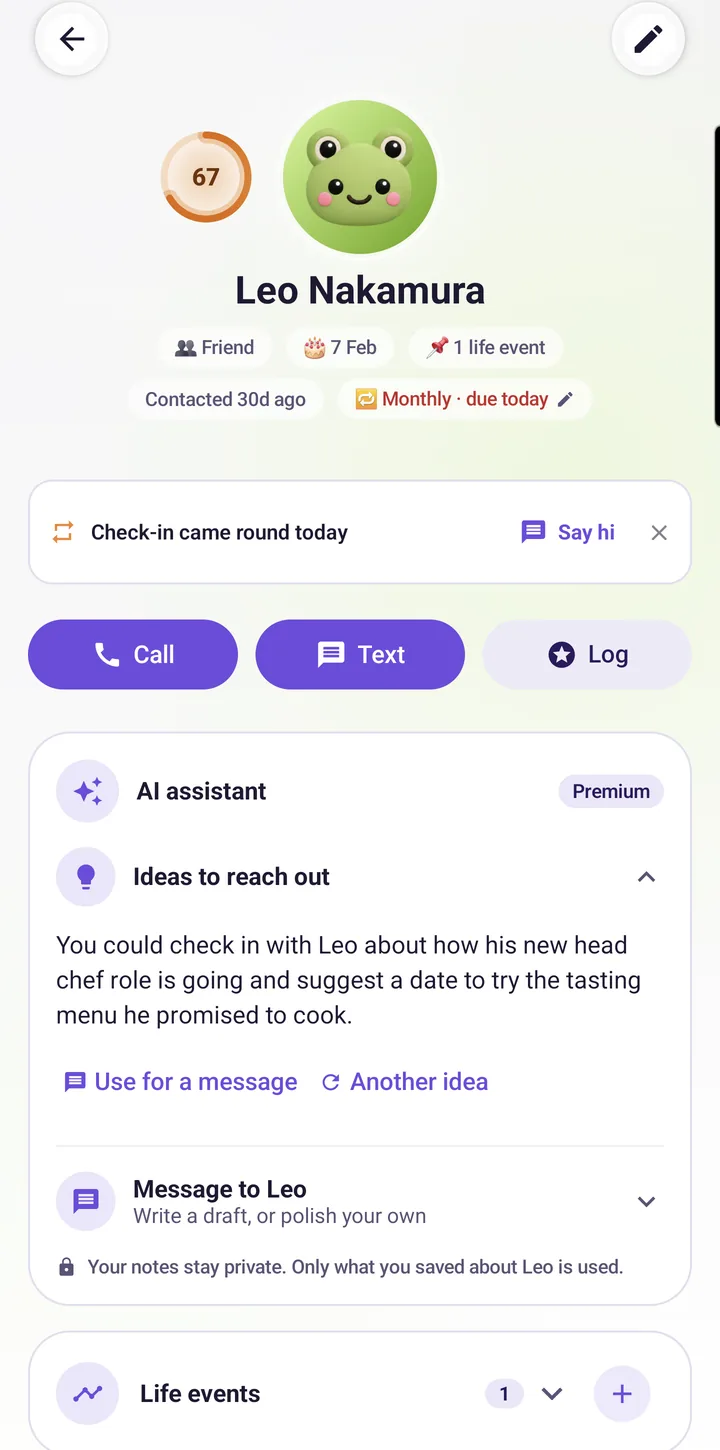
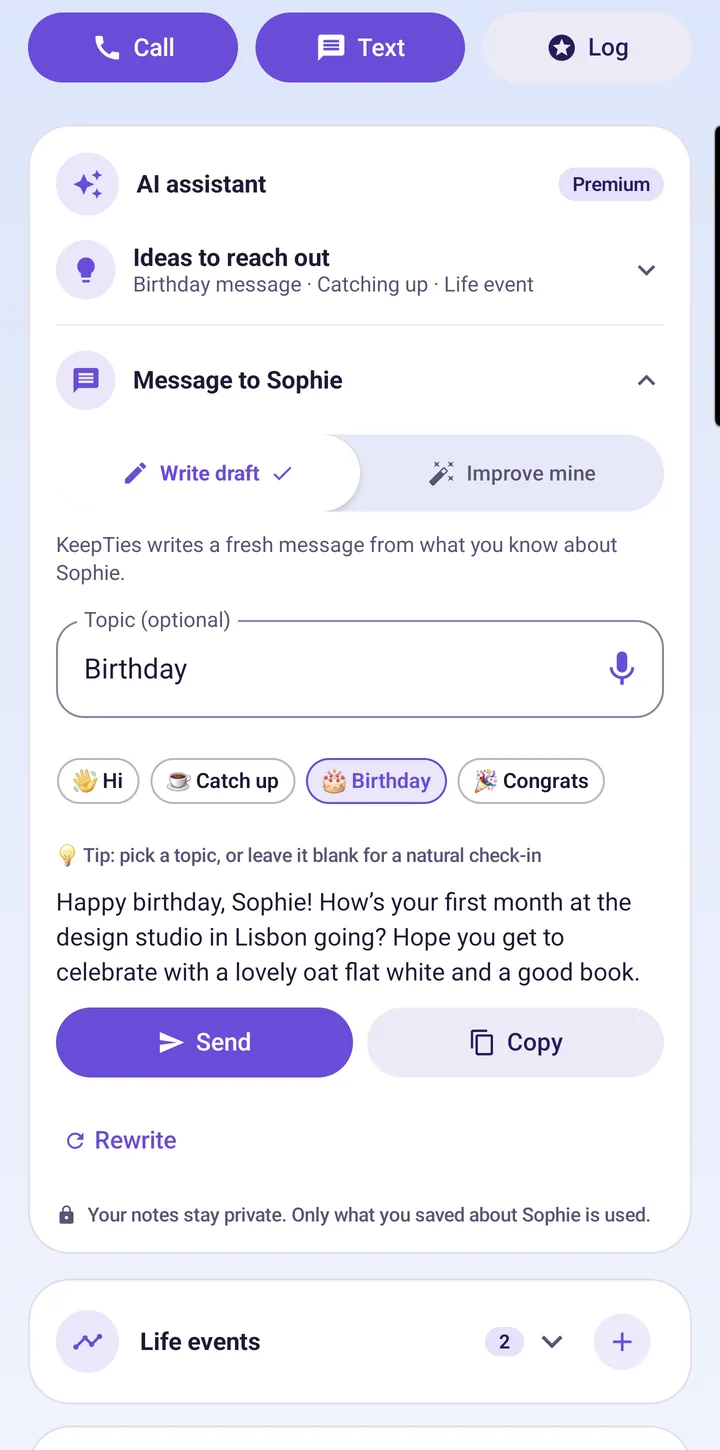
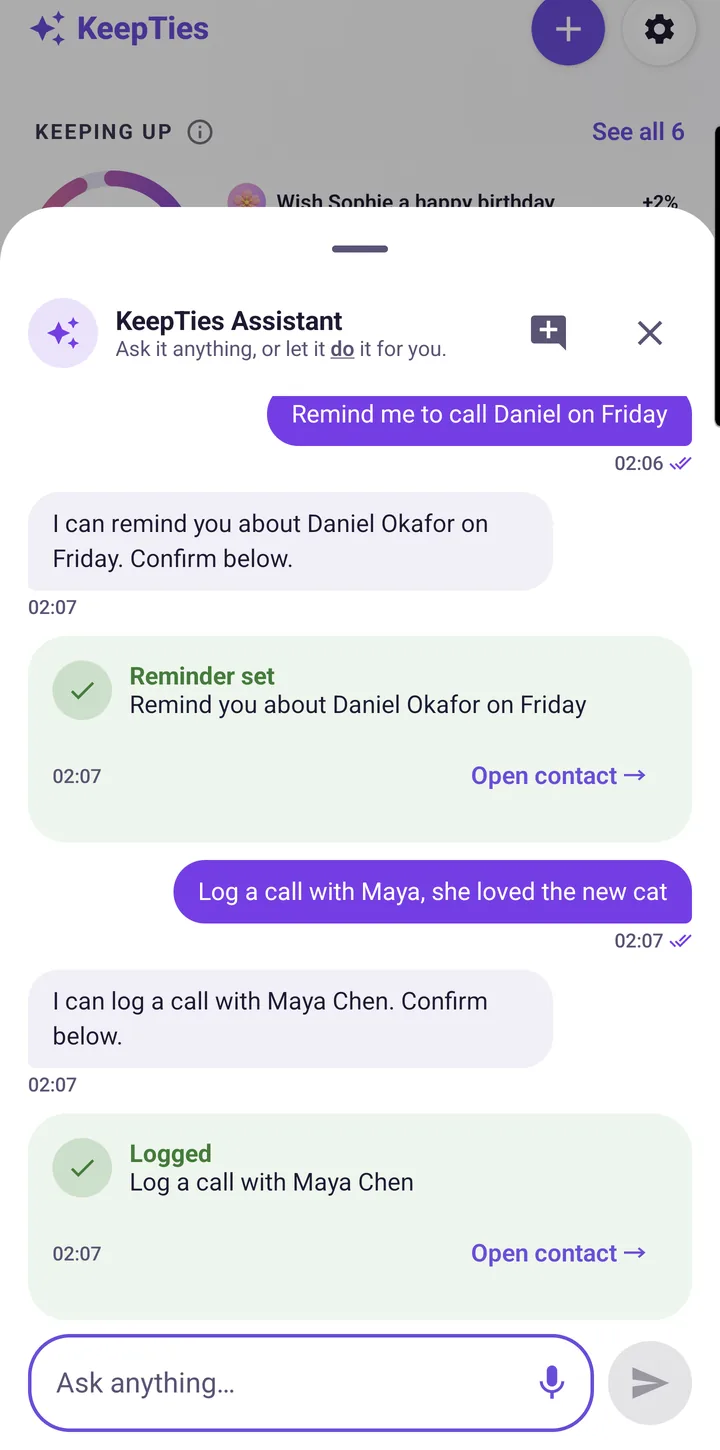
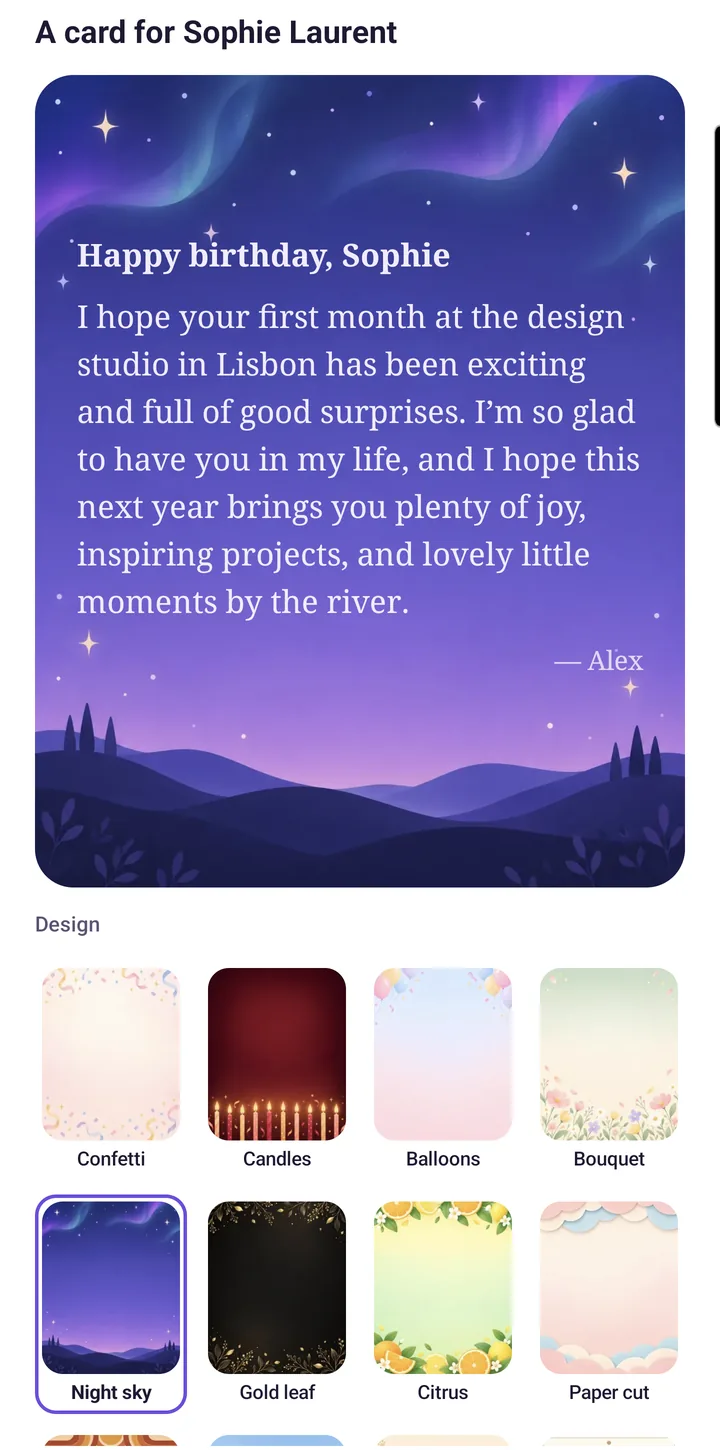
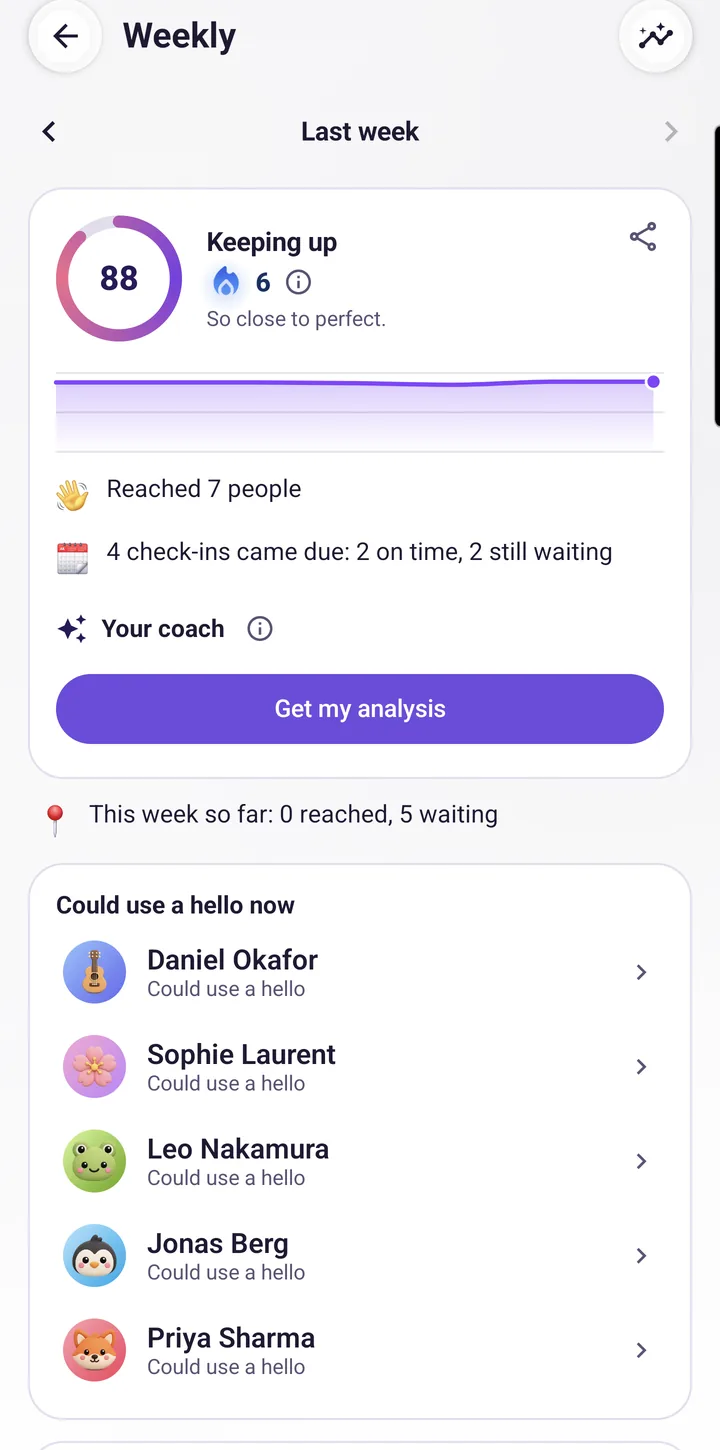
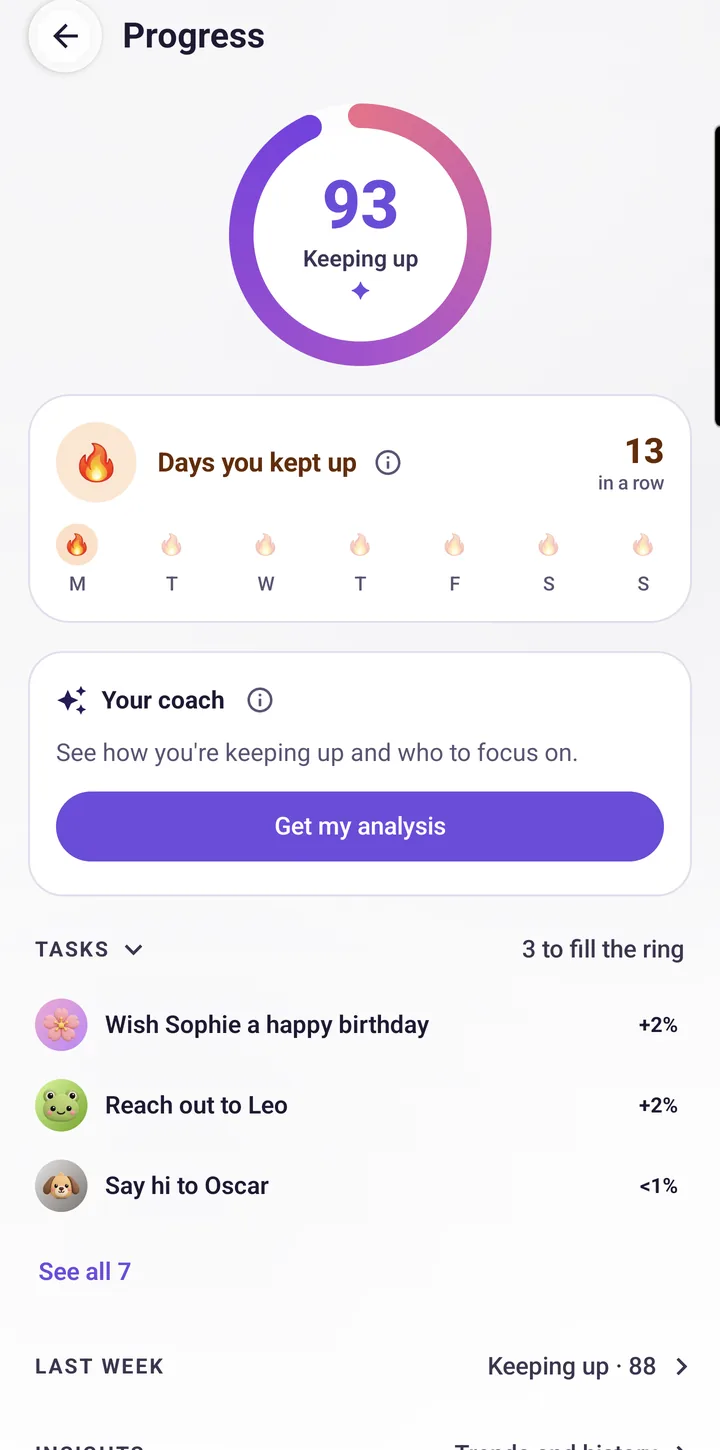
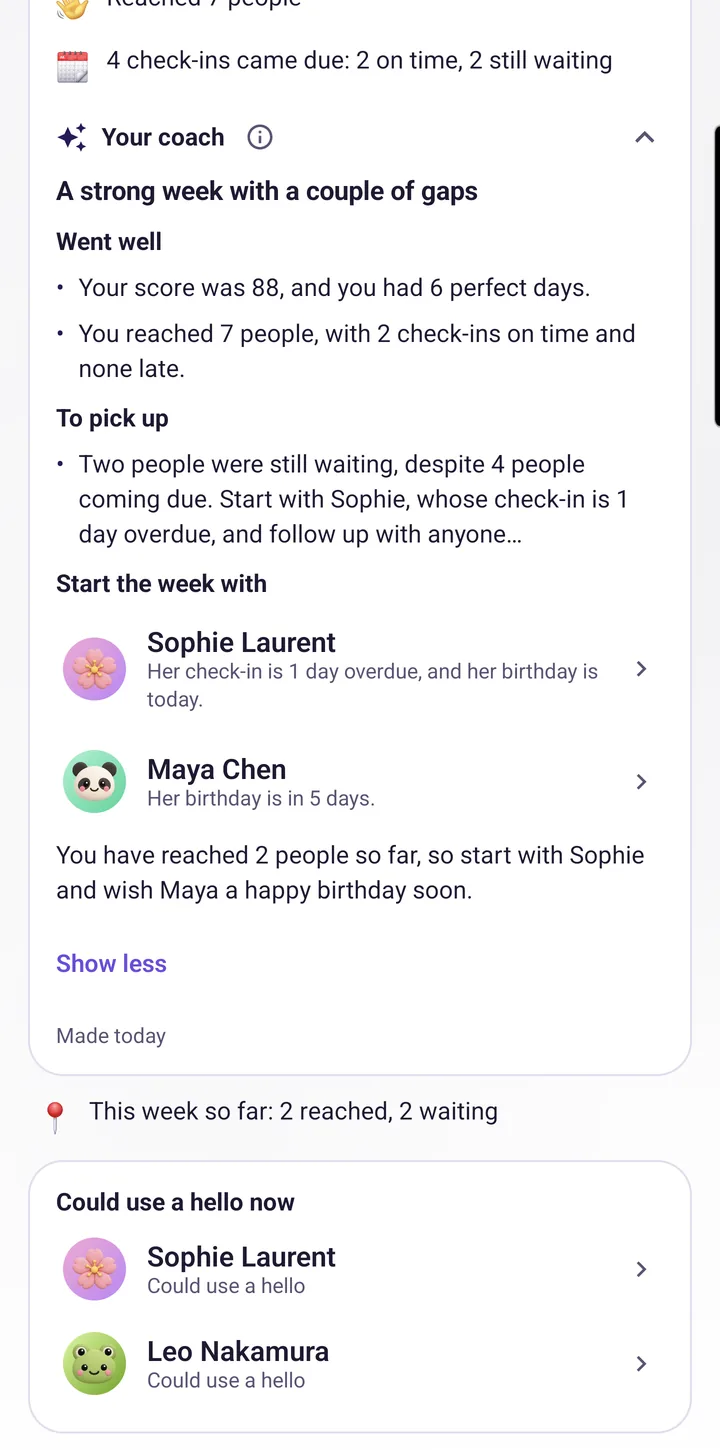
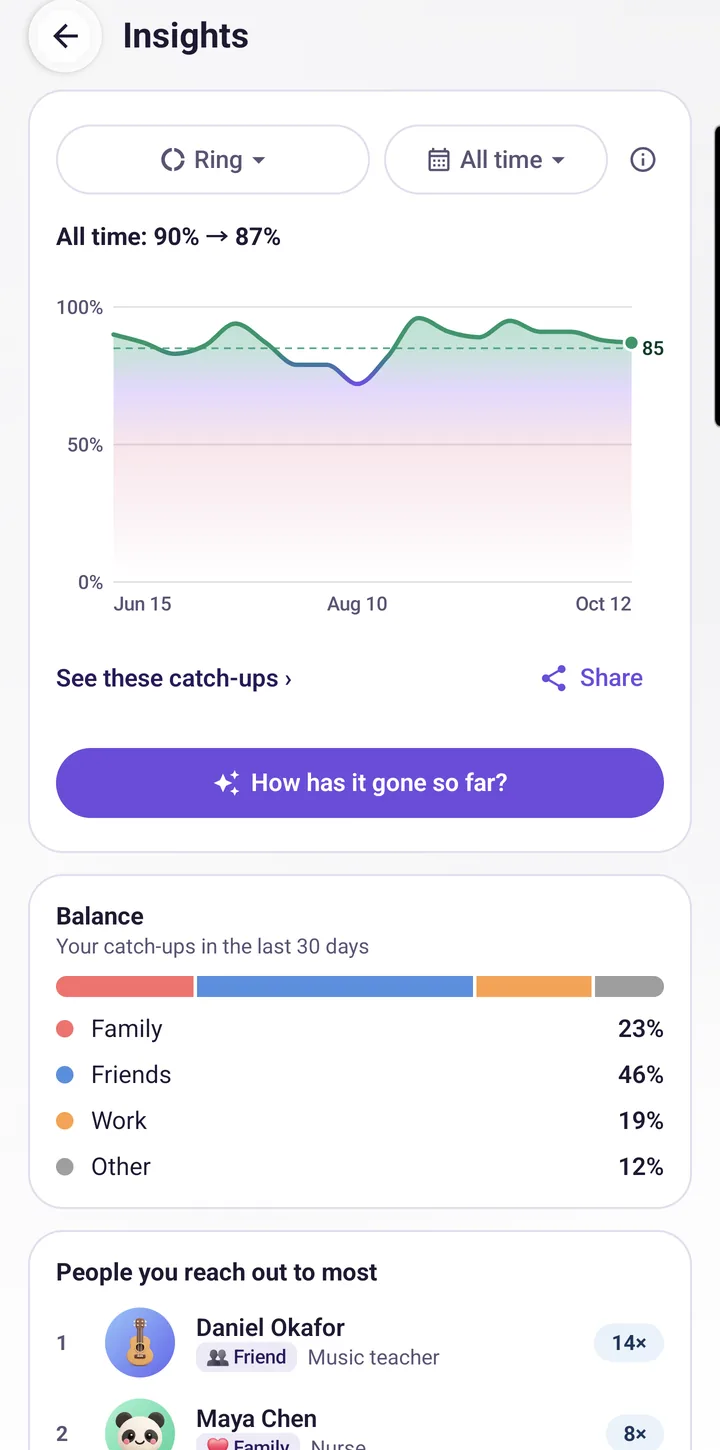
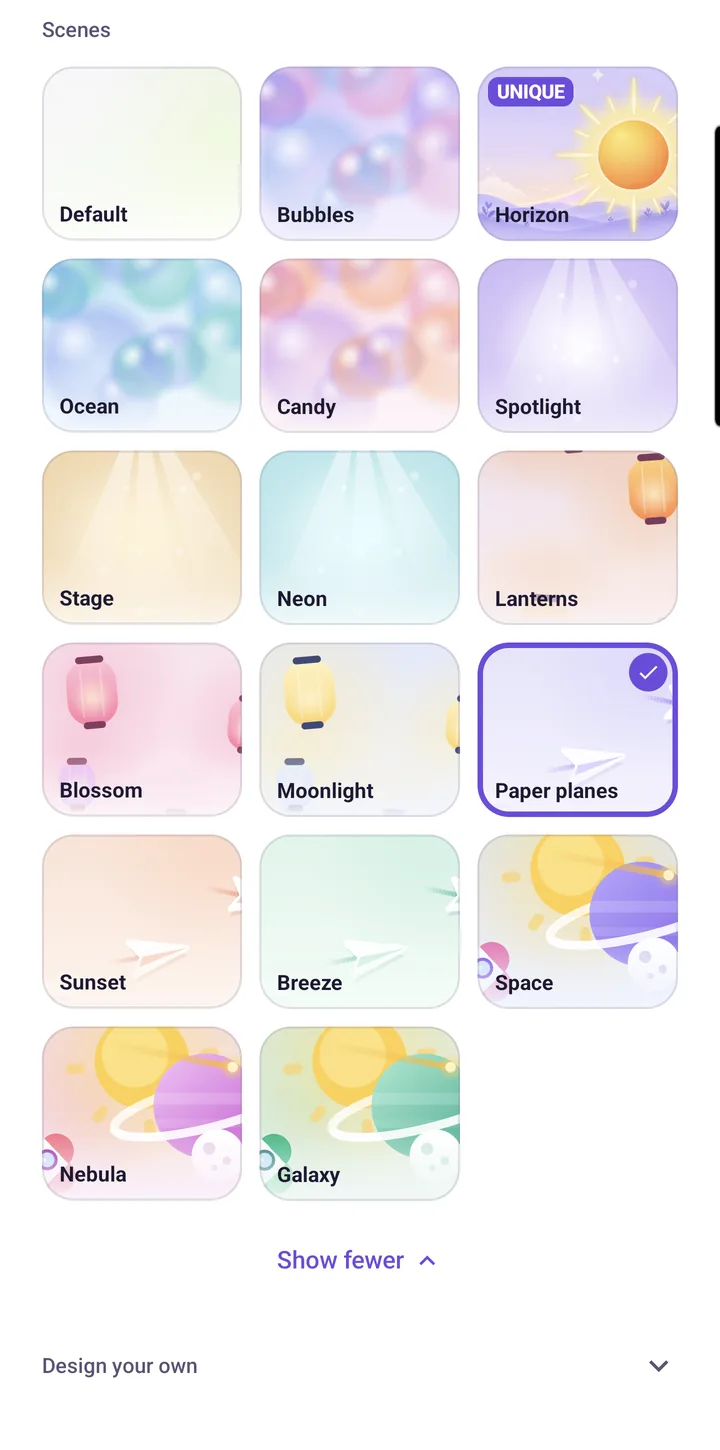
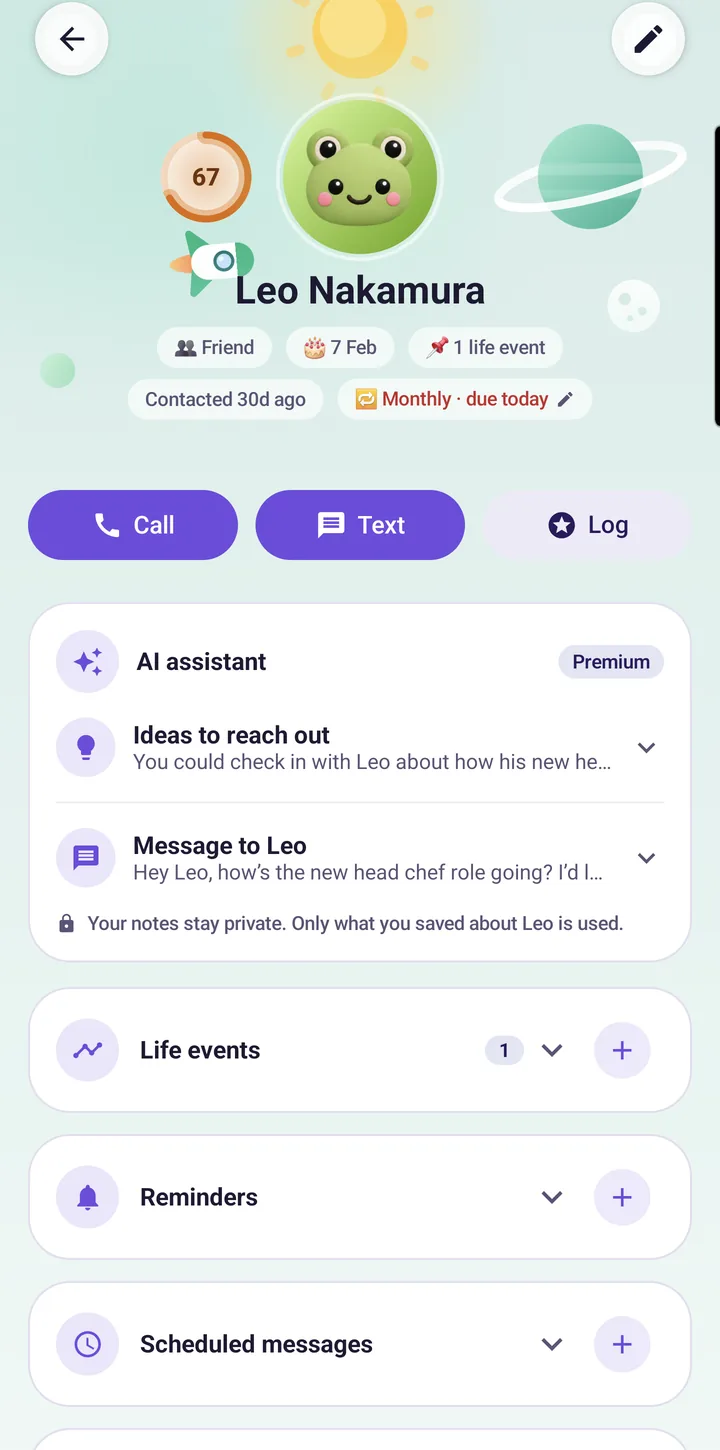
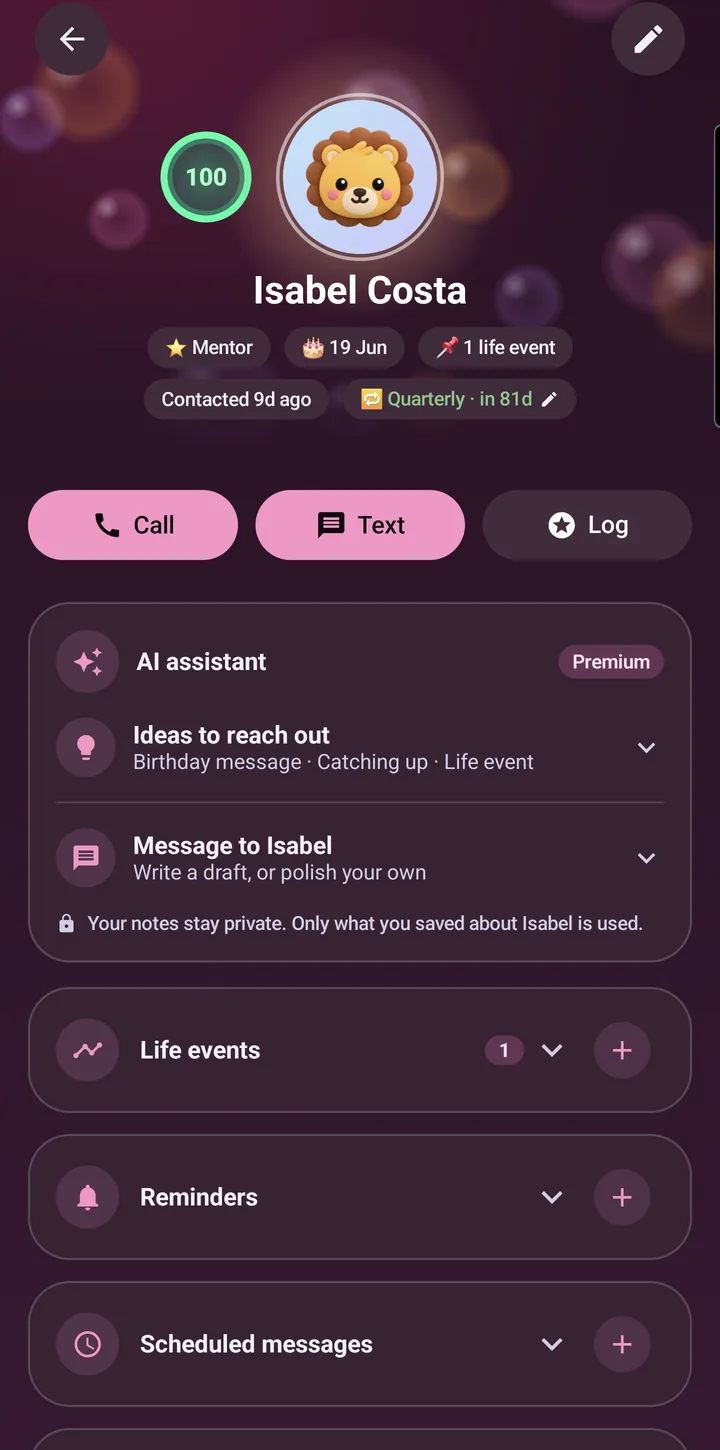
Real screenshots from the app, nothing staged.
Never stare at a blank message
KeepTies remembers the details, so the words come easy.
Drafts from what you already know
Pick a topic, or leave it blank for a natural check-in. The draft uses only what you saved about that one person: their new job, the move, the last thing you talked about. Your notes never leave your account beyond that single message.
- Birthday, catch up, congrats, or your own topic
- Polish a message you wrote yourself
- Answers in your language
An assistant that actually does things
"Log a call with Ava." "Remind me to call Liam in three days." "Whose birthday is coming up?" The assistant knows who is overdue and proposes the action. Nothing happens until you tap confirm.
Send a birthday card in a minute
Their birthday shows up in Coming up, and the card is two taps away.
Twelve designs, and the words if you want them
Pick a design, write your own greeting or let KeepTies write one from what you know about them, and send it as a link. The card is locked on your phone before it leaves, with the key in the link itself, so not even KeepTies can read what you wrote. It disappears after two weeks.
- Birthdays show up in Coming up
- Twelve designs, signed with your name
- A written message, or a ready line to start from
Add your first person in under a minute
This is the whole flow, in real time, nothing sped up.
One page, and only the name is needed
The rest waits in rows you can open: number, how you know each other, what they do, anything going on in their life, a birthday, and how often you want to be in touch, with a check-in already suggested. Skip what you do not know yet and add it later. That is all it takes for KeepTies to start reminding you at the right time.
What KeepTies does
A check-in per person
Weekly for your sister, monthly for an old colleague. KeepTies reminds you when it is time, nothing more.
One ring
A single number for how your relationships are doing. Reach out to the people who are due and it climbs.
Birthdays, cards and life events
Dates land in your calendar automatically, and a birthday brings a card you can send in a minute. Life events stay on each person's page, so you remember to ask.
Your week and your progress
A look back at last week, the days you kept up, and trends over time. With Premium, a coach tells you who to start with.
A scene for every person
The app is calm and plain, light or dark or following your phone. With Premium each person's page can have a scene of its own, from Bubbles to Galaxy.
Private by design
No ads, no selling of data, no social feed. Your contacts and notes are yours. Delete everything any time.
Questions
Is KeepTies free?
Yes. The core app is free, with one free try of each AI feature. Premium adds AI ideas, drafts and assistant messages every day, the AI coach, every card design and a scene for each person's page.
Is there a free trial?
Yes, through Google Play: 7 days on the yearly plan and 3 days on the monthly plan, for people who have not subscribed before. Google Play decides if your account can have one. New members are also offered the first year of the yearly plan at a lower price, for 48 hours.
Does it read my contacts or messages?
No. You add people yourself, or pick the ones you want from your address book. Only the people you pick are saved. KeepTies never reads your messages or call history.
What does the AI see?
For an idea or a message, only what you saved about the one person you are writing to, plus the topic. The assistant also sees a short list of your people with names and dates, and the coach (Premium) first names and counts, never your notes. Never your phone's address book, and never for training.
Is it on iPhone?
Android first. iOS is on the wish list.
Ready to stay in touch?
KeepTies is free on Google Play.
Get it on Google PlaySupport: support@keepties.app